Hiển thị các bài đăng có nhãn Speaker. Hiển thị tất cả bài đăng

Thứ Sáu, 22 tháng 7, 2011

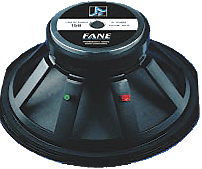
Fane Speaker England

   
FANE SPEAKER COMPONENTS
VINTAGE GUITAR SPEAKERS - BASS SPEAKERS 

  • Fane Speaker Parts
  • Fane 10"-15" vintage guitar speakers with classic Alnico & ceramic magnets
  • Fane 12"-18" high power 'COLOSSUS' series woofers for bass cabinets w/ die-cast aluminum baskets
AXIOM SERIES - Vintage Guitar Speakers
Fane Speakers - Fane AX10
  • 10" Ferrite
  • 75 watts RMS
  • 75hz - 6kHz
  • Available 8 or 16 ohms
AX10-8  -  8 ohm versionSOLD OUT
Item Price: $109.99
AX10-16  -  16 ohm versionSOLD OUT
Item Price: $109.99
Fane Speakers - Fane AX12FANE AX12
  • 12" Ferrite
  • 75 watts RMS
  • 75hz - 6kHz
  • Available in 8 ohms
AX12-8  -  8 ohm versionSOLD OUT
Item Price: $124.99
SALE PRICE: $99.95
AX12-16  -  16 ohm versionSOLD OUT
Item Price: $124.99
Fane Speakers - Fane AX15-300BAX15-300B
  • 15" woofer
  • 300 watts RMS
  • 40Hz - 6.5kHz
  • 8 ohms
  • Great in bass guitar cabinets
AX15-300B
SOLD OUT
Item Price:$189.95
Fane Speakers - Fane AXA10
  • 10" vintage Alnico magnet
  • 100 watts RMS
  • 75hz - 6kHz
  • Available 8 or 16 ohms
AXA10-8  -  8 ohm versionSOLD OUT
Item Price: $269.99
AXA10-16  -  16 ohm versionSOLD OUT
Item Price: $269.99
Fane Speakers - Fane AXA12
  • 12" vintage Alnico magnet
  • 100 watts RMS
  • 80hz - 5.5kHz
  • Available 8 or 16 ohms
AXA12-8  -  8 ohm versionSOLD OUT
Item Price: $289.99
AXA12-16  -  16 ohm versionSOLD OUT
Item Price: $289.99
CRESCENDO SERIES - BASS SPEAKERS
  • 15" Cast Frame Woofer
  • 400 Watts aeS
  • 800 Watts Program
  • 33Hz - 2.0kHz
  • 8 ohms
  • For all bass applications
Item Price: $229.95
COLOSSUS SERIES - BASS SPEAKERS
Fane Speakers - Fane Colossus Speakers
  • 12" woofer
  • 450 watts RMS
  • 900 watts program
  • 1,800 watts peak
  • 40hz -3.5kHz
 SOLD OUT
Item Price: $249.99
Fane Speakers - Fane Colossus Speakers
  • 15" woofer
  • 400 watts RMS
  • 800 watts RMS
  • 1,600 watts program
  • 32hz -1.0kHz
SOLD OUTItem Price: $259.99
Fane Speakers - Fane Colossus SpeakersFANE COL15B-600
  • 15" woofer
  • 600 watts RMS
  • 1,200 watts RMS
  • 2.400 watts program
  • 40hz -3.0kHz
SOLD OUTItem Price: $279.99
Fane Speakers - Fane Colossus SpeakersFANE COL15XB
  • 15" woofer
  • 600 watts RMS
  • 1,200 watts RMS
  • 2,400 watts program
  • 30hz -1.0kHz
Item Price: $279.99
Fane Speakers - Fane Colossus SpeakersFANE COL18B
  • 18" woofer
  • 400 watts RMS
  • 800 watts RMS
  • 1,600 watts program
  • 30hz -1.0kHz
SOLD OUTItem Price: $279.99
Fane Speakers - Fane Colossus SpeakersFANE COL18XB
  • 18" woofer
  • 600 watts RMS
  • 1,200 watts RMS
  • 2,400 watts program
  • 27hz -1.0kHz
SOLD OUT
Item Price: $289.99
Fane Speakers - Fane Colossus SpeakersFANE COL18B-600
  • 18" woofer
  • 600 watts RMS
  • 1,200 watts RMS
  • 2,400 watts program
  • 30hz -1.0kHz
SOLD OUTItem Price: $289.99
US Speaker, LLC

Thứ Ba, 12 tháng 7, 2011

Home Theater PC, Media Player & Digital Video Recorder (DVR) Options

Home Theater PC, Media Player & Digital Video Recorder (DVR) Options


  Since the launch of the first Digital Video Recorder (DVR) by TiVo in 1998, there are now many more options available for both recording television programs and for all inclusive Media Centers that can play music, videos, and games, show photos, download on-line content, and share content with other devices. 

  While initial DVR devices were standalone units, units that are sold (or leased) by Satellite and Cable companies are becoming a more popular option. Standalone units can sometimes have difficulty with multiple tuners (viewing or recording multiple shows at once), Video-On-Demand (VOD), and other special features provided by Satellite and Cable. CableCard technology was supposed to improve this situation by allowing the DVR unit to replace the cable/satellite box. The CableCard provided the DVR the ability to decode the encrypted video, but due to foot dragging by the cable/satellite companies it cannot due much else. 

  On the other hand, the large patent portfolio of Tivo and other early developers has made it difficult for other companies to offer the full range of features available in a TiVo product. These are problems that many open source Media Center projects don't have a problem with. 

  One option to consider is an advanced DVD/BluRay player or TV with enhanced capabilities built in. Some devices now have ports for USB flash drives or memory cards that can play music or movies or show photos that are contained on the flash drive. Some DVD players support most of the popular formats used by cameras or data that is downloaded from the web and cost less than $100. Some internet connected TVs can even download videos from YouTube, Hulu, NetFlix, and other sites. 

  Yet another option is a hard drive based media player. This is a tiny box for under $100 (not counting the hard drive) that will play music, videos, and show photos that are contained on the hard drive. Files are added to the hard drive by connecting the media player to a computer as a USB drive or over a home network. A TV is used to view the photos or to select what song to listen to or what movie to play. Game systems also fall into this category, although they are a bit more expensive. All of the major video game systems can play DVDs (PS3 can also play BluRay Movies), play movies stored on a hard drive, and connect to the internet to download new content. The exact feature list can vary with the game system and many more options are available if you modify (hack) your system. 

  With all of these choices available, one might ask why someone would go through the trouble of building their own Media Center PC or DVR. Today, the answer is usually comes down do features, capacity, and control. A DVR might let you record TV, but it might not let you save a downloaded movie to the same drive. A device might even let you download movies, but the choice on where to download will be limited, or it might impose some other restriction. For example: Sometimes the networks or movie studios force the hardware vendor to limit how long you can store a movie on your DVR. So if you pay to watch and record a Movie On Demand from the Cable company, they might delete it after a couple of months even if you haven't watched it yet. Another problem with the hardware vendors is that they charge a premium for a higher capacity hard drive. Hard Drives are cheap and you can now get several TB for under $100. Still, some try to charge a huge premium the extra disk space. 

  To recap, the basic choices for a Media Center are: 

    Standalone Home Theater Media Center Products: TiVo, Moxi, Neuros & Roku 

    Cable/Satellite based DVR/Home Theater Media Centers: DirecTv, Dish Network, Comcast, Verizon, AT&T, Time Warner Cable, Charter,Cablevision... 

    Hard Drive Media Centers: PremierTek, Western Digital, iomega, View Sonic, Buffalo, Asus, D-Link ... 

    Game System based Home Theater Media Centers: XBox, PlayStation & Wii 

    Modified Game System based Home Theater Media Centers: XBox Media Center, PlayStation Media Center & Wii Media Center 

    Computer based Home Theater Media Centers: Myth TV, Boxee, Microsoft Windows Media Center and more 

  If none of the Off-The-Shelf solutions work for you, then you are left with setting up a computer as a Media Center or converting a Game System into a Media Center. Modern game systems are basically computers containing processors, memory, video, hard drives, DVD/BluRay drives and and internet connection. When these game systems first come out, they are usually sold at a loss and the manufacturer hopes to make up the difference in the sales of games. This is why these systems are attractive to developers that convert them into media centers. They are small, attractive, and powerful PCs at a price that is hard to beat. 

  If you have an old PC and are looking to upgrade, then maybe the retired PC should become your media center using Boxee, MythTV, or one of the other options listed above. Otherwise, purchasing a game system might be the cheaper option. Check out an original XBox and run XMBC (XBox Media Center) or try one of the modern consoles - new Nintendo Wii, XBox 360, or Sony PlayStation (only one with a BluRay). When researching your decision, look at both the capabilities of the system as sold and what it can do when modified with custom Firmware like XBox Media Center.

3D Television

3D Television


Current 3D Televisions use LCD Shutter Technology although some may offer Dolby 3D in the future. Read our 3D Theater Technology page for more information about the different types of 3D technology. This page will specifically focus on 3D LCD Shutter technology.

How 3D TV it works

All 3D technology works by displaying different images to the viewer's left and right eye. This can be accomplished by colored filters, polarizing filters, or LCD shutters. In a home system, this is typically done using LCD Shutter Glasses. A 3D capable LCD Television displays 120 frames each second, 60 frames for each eye. In the first frame, the TV displays an image for the left eye and the glasses block the right eye from seeing the TV. In the next frame, the TV displays an image for the right eye and the glasses block the left eye. This happens 60 times a second. It is so fast that the brain don't pick up on the fact that half the time the LCD Shutter Glasses are active and completely blocking the eye from seeing the television. The brain fills in the missing pieces to create a continuous picture.
Stereopsis 3D viewing

How to get 3D TV

The first thing you need for 3D at home is a 3D capable television. This is usually a 120Hz TV. There are 240Hz televisions that can display 240 frames per second on the screen and the glasses shutter at 120 times a second. Some people may find that the lower blink rate of the 60Hz glasses cause headaches and might prefer the faster models. Be sure to check out any TVs at the store before making a purchase. 

You will also need 3D LCD Shutter glasses that are designed to go with your TV. Your TV might come with a pair of glasses, but you will need one set per viewer so you may need to purchase extra. These glasses automatically wirelessly synchronize with the TV so that the left and right lenses blink at the correct times. Some glasses use bluetooth for this synchronization, and others use infrared or some other wireless technology. Be sure to get the correct ones for your TV. 

You can get TVs that actually take a 2D show and convert it automatically to 3D. This method can never be perfect, but it you are spending a lot of money on a 3D system it might be nice to know you can watch anything in 3D. 

Note: Some TVs and other devices are listed as 3D ready. I would be wary of TVs making this claim. It implies that some device will exist in the future that will make the TV 3D capable. Some TVs that are 120 Hz make this claim simply because they show enough frames per second. It does not mean that they are capable of sync'ing with LCD Shutter Glasses or that the response times of the TV are truly capable of displaying a 3D image.

3D Data Sources

You can get 3D from your Satellite/Cable provider, Blu-Ray player, a Video Game system, and a Computer. For satellite and cable, there might be a surcharge for a 3D capable satellite or cable box. Make sure they carry enough channels to make this worth it worth the extra cost. For Blu-Ray systems, both the player and the Blu-Ray disc must be labeled 3D. For Video Game systems, both the game system and the game must be labeled 3D. For computers, read our section on Media Center PCs 

In all cases, the system must be listed as 3D capable and you must use the correct type of cable to connect component to your TV. This will usually be a Version 1.3 HDMI cable (aka High Speed HDMI), although DisplayPort will also be an option. Look online for cables. You don't need to spend more than $10 for a good HDMI cable unless you need a really long one. If you are running your HDMI cables through a home theater receiver, you should look at getting one with HDMI 3D pass-through technology 

Dangers of 3D technology

Some research suggests that 3D Televisions can cause Strabismus or lazy eye in young children. Watching a 3D movie forces your eyes to improperly focus on the screen to see the 3D effect. The 3D effect shown above (where each eye sees a different image) is only one of the methods your brain uses to visualize a 3D image. The eyeballs themselves should change shape to focus on things that are near and far and the pupils should be further apart to view an image that is further away. Neither of these things happen when viewing a 3D image on a flat screen television. Young children (and maybe even adults) viewing a 3D television or playing 3D games for hours a day are improperly training their eyes and brains and could prevent Stereopsis (the ability of the optic nerve to focus the eyes) from developing. Children under 7 have not yet fully developed Stereopsis and should not view 3D television for extended periods of time. An occasional 3D movie once a month is OK, but with long term exposure,3D Television viewing is NOT safe for children. The ability for adults to lose Stereopsis and develop Strabismus (lazy eye) through repeated long term 3D Television viewing has not yet been determined.

Inductor Designer / Calculator

Inductor Designer / Calculator


Inductance:mH
Wire Gauge:AWG
Coil Diameter:inches
Coil Length:inches

Get help for the Inductor Designer

Contour Network Designer / Calculator

Contour Network Designer / Calculator


Frequency where signal begins to rise (f) : Hz
Frequency at maximum attenuation (fm) : Hz
Maximum attenuation at fm (At) : db
Total driver impedance (Rd) : Ohms

Get help for the Contour Network Designer

Impedance Equalization Circuit Designer / Calculator

Impedance Equalization Circuit Designer / Calculator


Driver DC Resistance (Re) : Ohms
Driver Inductance (Le) : mH

Get help for the Impedance Equalization Circuit Designer